
PCBr Remote Desktop
Click below to download and open the PCBr remote desktop connection file.
Download RDP FileHow to connect to PCBr
- Click Download RDP File above.
- Open the downloaded PCBr.rdp file.
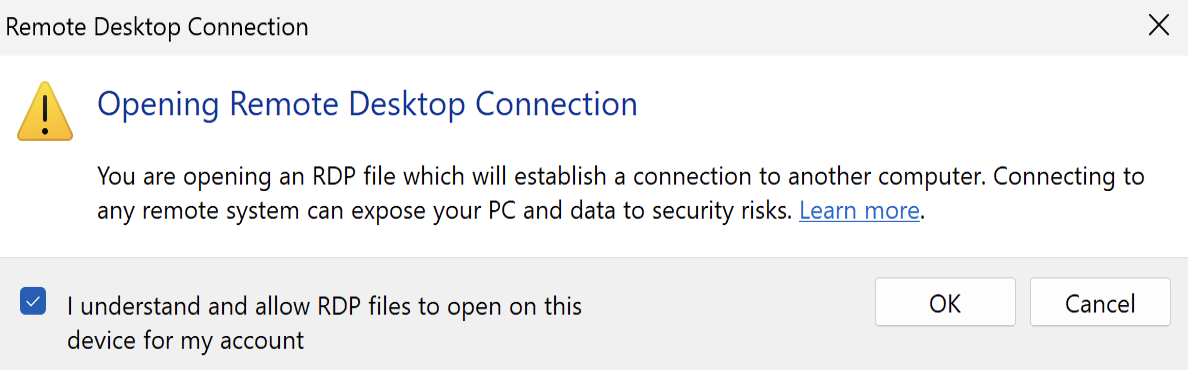
- If a security warning appears, select I understand and allow RDP files to open on this device for my account, then click OK.
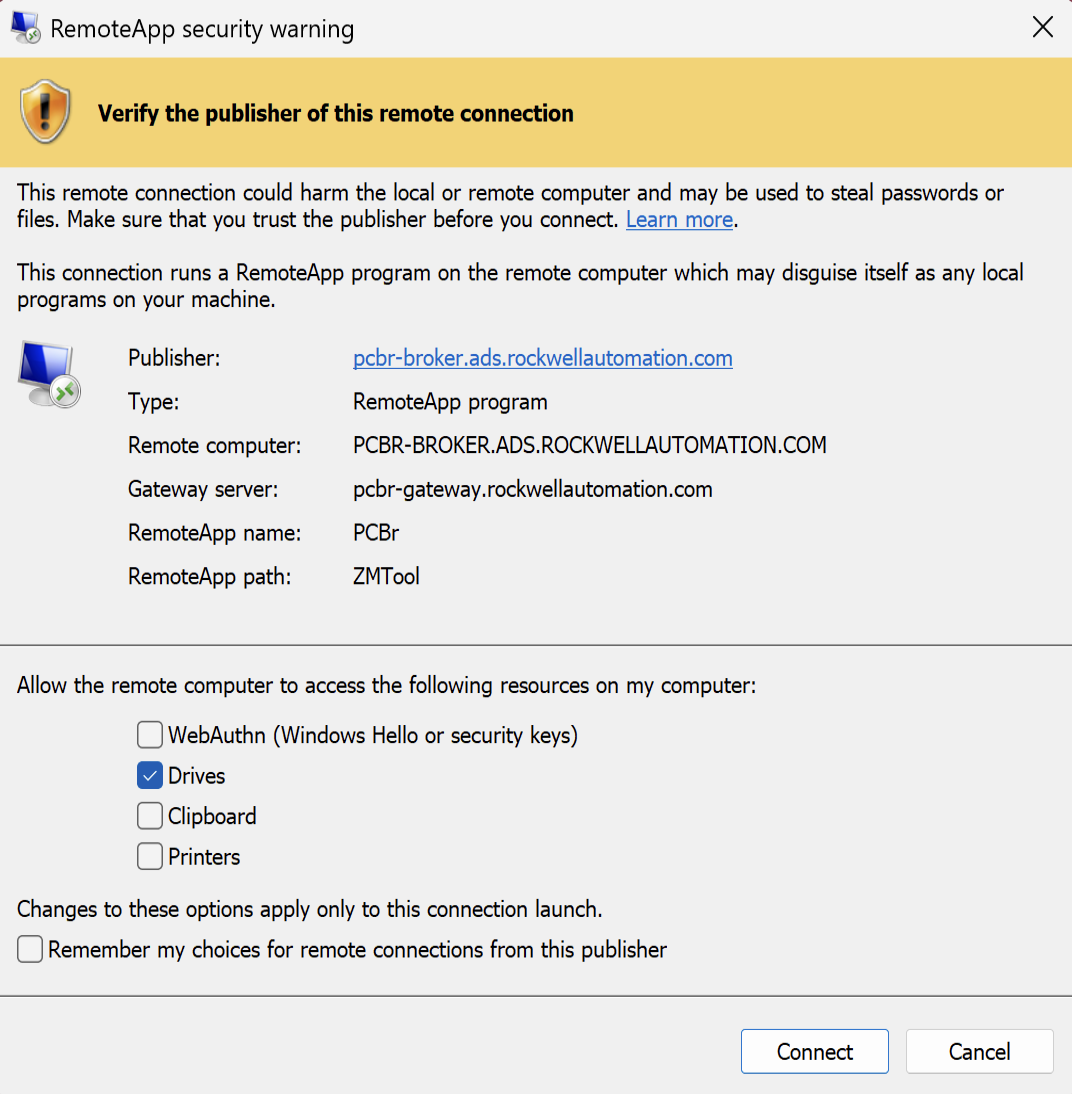
- When asked which local resources to share, select Drives, then click Connect.
- You will now be connected. It may take a minute for your session to be ready.